
Dictation is old tech. Jarvis does what you say.
Say “Hey Jarvis” or hold Cmd+Option+O, then say what you want done. Operator replies, books, files and reminds in Gmail, Slack, your calendar and the apps you already use.
Ten clicks through Gmail
then you dictate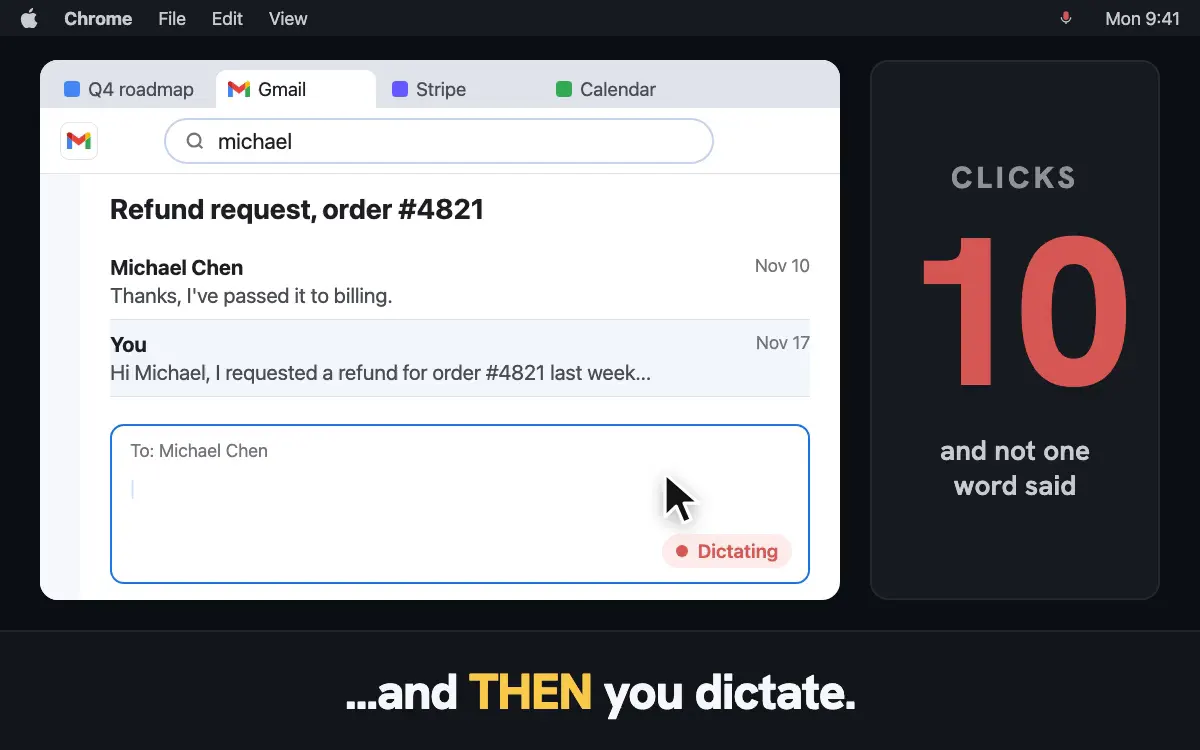
One sentence, zero clicks
mouse untouched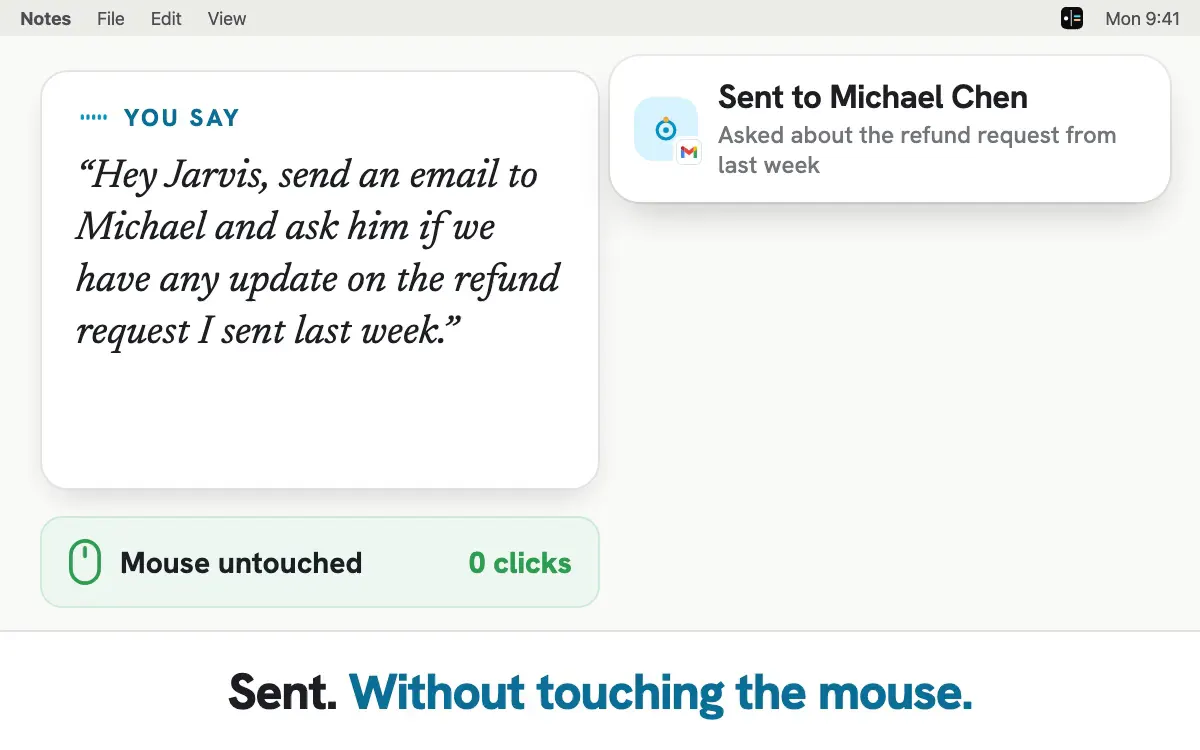
Ask once. It goes and does it.
- 1 · Call it
“Hey Jarvis”, or hold the keys
Hands-free with the wake word on Mac, or hold Cmd+Option+O (Ctrl+Alt+O on Windows) from any app.
- 2 · Say it
Talk like you would to a person
One sentence can cover two apps: file the bug, then reply with the link. Select a message first and it reads that too.
- 3 · Done
It shows you, with Undo
The result lands in the top-right corner of your screen, so you see exactly what happened and can take it back.
Minutes of clicking, done in one sentence.
Real commands, real apps. Each one replaces a hunt through tabs, forms and menus.

Find the Safari checkout ticket, and drop the link in my reply to Dan.
The ticket was titled WebKit, not Safari. Operator found it anyway and pasted the link into your Slack reply. It never sends for you here: you read it and hit Enter.

Remind me about this Friday at nine, and tell Priya it's coming.
One sentence, two apps. The reminder takes its title from the email you are reading, and Priya gets her reply, with Undo on screen.

File this as a high bug on Checkout for Mei, and reply to Maya with the link.
Select the Slack message and say it. The bug is filed with team, priority, label and assignee, and the link goes back into the thread.
1,600+ apps can connect. About 200 take one click.
These are the ones we have tested most. Try the exact sentence next to each.
- Gmail“Reply to Aisha and say yes to Thursday.”
- Google Calendar“Book a 30 minute call with Leo tomorrow at 2.”
- Slack“Tell #design the mockups are ready.”
- Linear“File a bug: export button is greyed out.”
- Notion“Add this to my Meeting notes page.”
- Google Drive“Find the Q3 deck.”
- Google Docs“Start a doc called Launch plan.”
- Google Sheets“Add a row to my expenses sheet: 45 dollars, taxi.”
- ClickUp“Add a task for the invoice run, due Monday.”
- Zoom“Schedule a Zoom with the board for Friday at 9.”
- RemindersMac“Remind me to call the bank at 4.”
- NotesMac“Make a note: ideas for the webinar.”
- CalendarMac“What's on my calendar Thursday?”
- ContactsMac“What's Faris's email?”
Nothing happens behind your back.
You see every action
What Operator did, or is about to do, shows up in the top-right corner of your screen, with a link to open it.
Undo, or Ask me first
Sends and changes wait behind Undo for a few seconds (you pick 3 to 30). Prefer to approve everything? Switch to Ask me first and press Send yourself.
Deletes always ask
Anything that deletes, involves money or writes to someone new waits for your OK, whatever mode you are in.
Free for 30 days, for everyone.
- 100% free until December 24, 2026, on any account.
- No command limits, and it does not touch your Contextli credits.
- Download, sign in, hold . That is the whole setup.
Questions about Jarvis
More on dictation itself is on how Contextli works and hands-free dictation on Mac.
Is there an AI like Jarvis yet?
Yes. Operator in Contextli is a voice agent for your computer. You say what you want done, like "Reply to Aisha and say yes to Thursday", and it does the work in your apps, then shows you what it did with an Undo button.
How do I get Jarvis on my MacBook?
Download Contextli for Mac, sign in, and hold Cmd+Option+O to give your first command. To go hands-free, turn on "Hey Jarvis" in the Operator settings. The wake word is in Beta.
Does Operator work on Windows?
Yes. Hold Ctrl+Alt+O and use the connected apps, like Gmail, Google Calendar, Slack, Linear and Notion. The Apple apps (Reminders, Notes, Calendar, Contacts) and the "Hey Jarvis" wake word are Mac only for now.
Which apps does it work with?
1,600+ apps can connect, and about 200 of them connect in one click. The ones we have tested most are Gmail, Google Calendar, Slack, Linear, Notion, Google Drive, Docs and Sheets, ClickUp and Zoom, plus Reminders, Notes, Calendar and Contacts on Mac.
Will it send something I did not mean to send?
Every action shows up in the top-right corner of your screen. Sends and changes come with Undo for a few seconds (you choose 3 to 30), or switch to "Ask me first" and nothing goes out until you press Send. Deletes, anything involving money and messages to someone new always ask first.
Is "Hey Jarvis" always listening?
"Hey Jarvis" is off until you turn it on. The wake word is spotted on your computer, and Operator only starts taking your command after it hears "Hey Jarvis". You can always use the hotkey instead.
How much does Operator cost?
Nothing during the Beta. Operator is 100% free for everyone until December 24, 2026, with no command limits, and it does not use your Contextli credits.
How is this different from dictation?
Dictation turns your voice into text where your cursor is. Operator takes an instruction and does the job: it finds, replies, books, files and reminds across apps. Contextli does both. Option+Space dictates, Cmd+Option+O runs Operator.
Say it. It’s done.
Operator is free for everyone until December 24. Download Contextli for Mac or Windows and give it your first job.